

Турбо ПВЗ Ozon
Works right after installation. Used in the “Приёмка” (Receiving) section and when moving items to Ozon Shelf.
“Numberries Bridge — pickup point cell labels” (its name in the stores) is a free browser extension that works only together with the Numberries app for Windows on the same computer. You need it for the Ozon and Yandex Market profiles.
 Install in Chrome
also Yandex Browser
 Install in Edge
Or choose the Ozon or Yandex Market profile in the app — it offers to install the extension for you.
Google ChromeMicrosoft Edge Yandex Browser
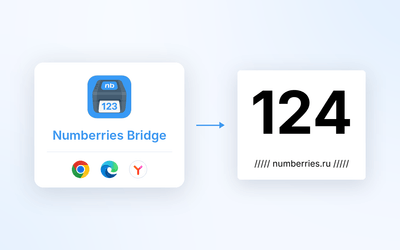
The extension doesn’t work on any other site.
Works right after installation. Used in the “Приёмка” (Receiving) section and when moving items to Ozon Shelf.

Works after you select “Разрешить” yourself. The extension asks you to do this the first time you open the pickup point site.
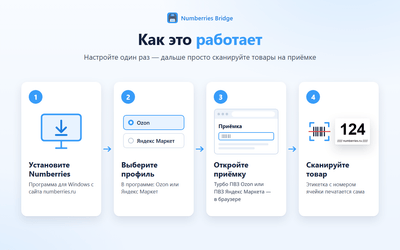
The extension passes the cell number, item details and page status only to the Numberries app on this computer. The only site it contacts over the internet is Ozon Turbo itself: on a repeat or fast double scan at receiving, it requests the item history, as the site’s own “Поиск предметов” section does, and takes only the first-receiving date for the label, saving nothing. The request is made on behalf of the signed-in employee; the extension keeps the sign-in key only in the memory of the open tab, never saves it and passes it nowhere else. The extension sends nothing to Numberries servers or third parties.
14 days free with every feature, no card. Then 290 ₽ per month.