Free for 14 days

Download Numberries for Windows

An app that automatically prints shelf cell numbers at marketplace pickup points, with profiles for Wildberries, Ozon and Yandex Market. CDEK, Avito and other pickup point systems work through the “Своя область” (Custom area) mode, if the cell number appears on screen in digits.

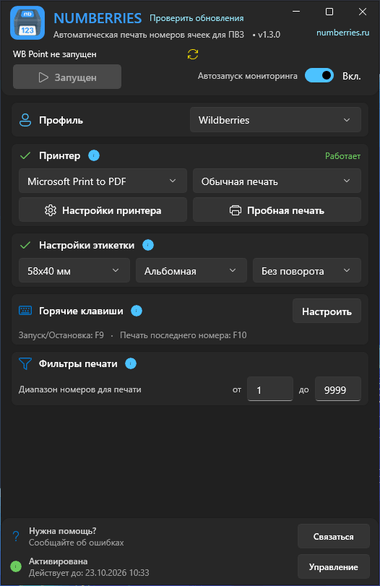
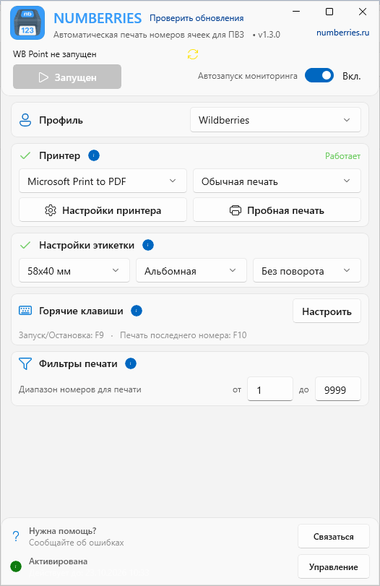
Numberries window with the Wildberries profile Numberries window with the Wildberries profile

How to install Numberries

Step-by-step instructions: which installer to choose, what to select on each page of the setup wizard and what to do if Windows warns you about an unknown publisher.

The app won’t start or closes right away?

If the installation didn’t go right, try installing the components manually:

System requirements

  • Windows 10 (2004+) / 11
  • 64-bit / 32-bit / ARM64
  • A few hundred MB of disk space
  • Any printer with a Windows driver
  • .NET 10

All required components are installed automatically with the app:

  • .NET Desktop Runtime 10
  • Windows App SDK 2.4
  • Visual C++ Redistributable v14

How to get started

Sign up

Create a free account — no credit card required

Sign up⁠

Download the app

Install Numberries on your computer

Download⁠

Activate your key

Enter the license key from your dashboard

Dashboard⁠

What Numberries can do

Marketplace profiles

Wildberries, Ozon and Yandex Market — a separate profile for each, no need to select a screen area

Instant printing

The label prints 30–300 ms after the scan on any printer that can print from Windows; check that your model works during the free trial

Custom area

CDEK, Avito and other pickup point systems work through the “Своя область” mode, if the cell number appears on screen in digits

Save time

No more writing numbers by hand with a marker

FAQ

Is the app really free?
Yes, for the first 14 days you can use every feature for free, with no credit card required. After that, a subscription costs 290 ₽ per month or 2,900 ₽ per year.
Which printers are supported?
Any printer that can print from Windows will work: a thermal label printer or a regular printer. Check that your model works during the free trial. We recommend a thermal printer with a label peeler — the label is ready to stick right away, with no need to tear it off the roll by hand. Our separate guide explains which pickup point printer to choose and which labels to buy for it.
Which marketplaces does it work with?
Wildberries, Ozon and Yandex Market each have their own profile. CDEK, Avito and other pickup point systems work through the “Своя область” mode, if the cell number appears on screen in digits.
Do I need an internet connection?
You need the internet to activate the key, for periodic key checks and for updates. The app does its main work on your computer. Without a connection to the server, the app keeps working for up to 30 hours; then printing stops until the key is checked successfully.
Start now

Start using Numberries today

Try every feature free for 14 days. No credit card, no hidden fees.

  • No credit card required
  • 14 days free