

Шаг 1
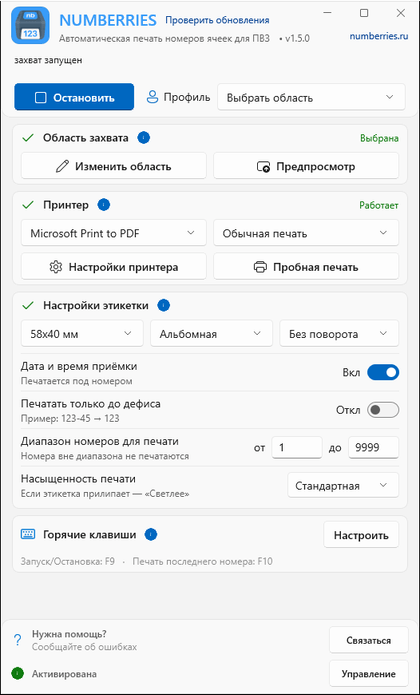
Выберите профиль
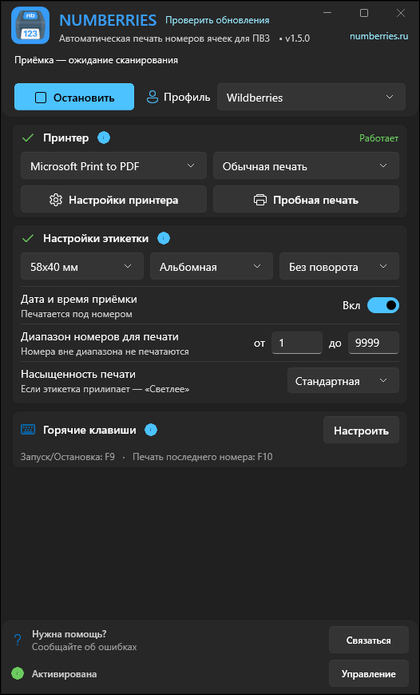
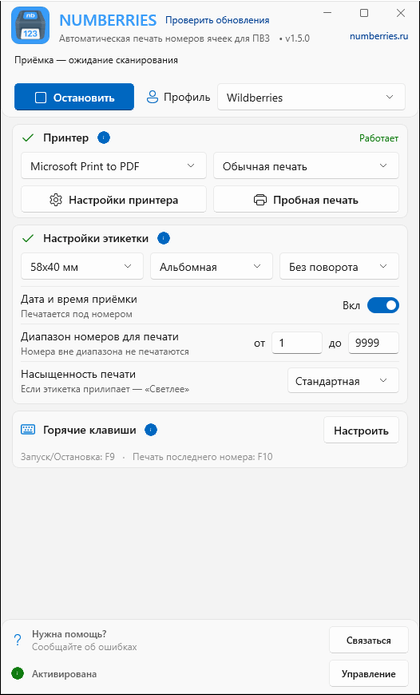
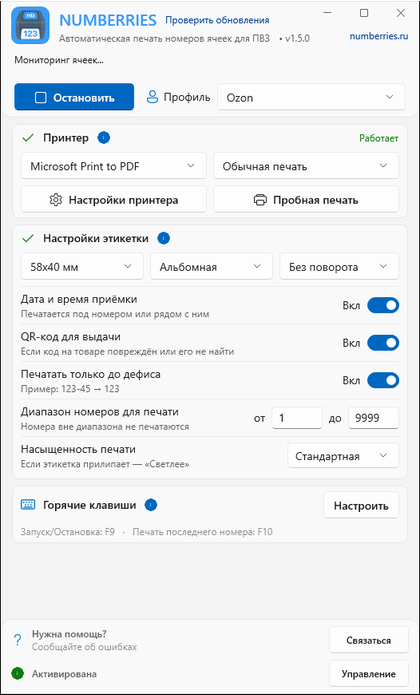
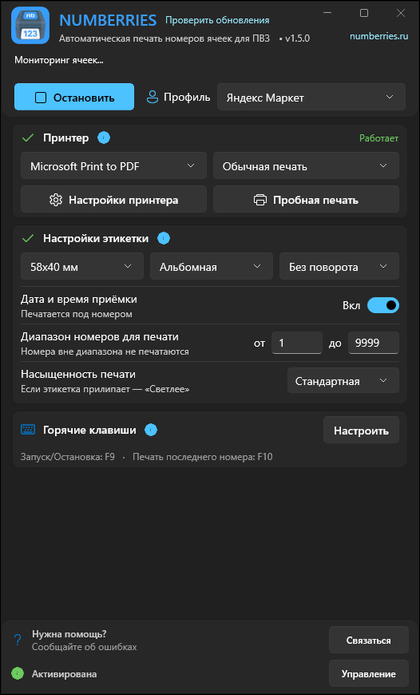
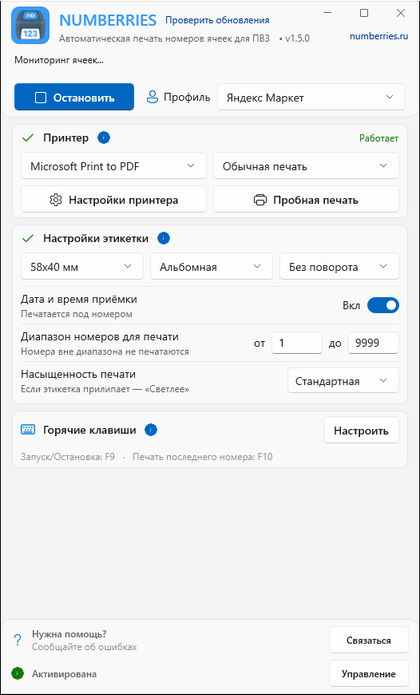
Wildberries, Ozon или Яндекс Маркет. Для Wildberries достаточно выбрать профиль, для Ozon и Яндекс Маркета нужно бесплатное расширение для браузера Numberries Bridge.
Выберите профиль маркетплейса — при приёмке Numberries сам печатает этикетку с номером ячейки за доли секунды. Wildberries, Ozon и Яндекс Маркет.

Не требует обучения персонала и дополнительного оборудования.
Wildberries, Ozon или Яндекс Маркет. Для Wildberries достаточно выбрать профиль, для Ozon и Яндекс Маркета нужно бесплатное расширение для браузера Numberries Bridge.
Принимайте товары в WB Point, Турбо ПВЗ Ozon или ПВЗ Яндекс Маркета как обычно — ничего не нужно вводить вручную.
Номер ячейки печатается автоматически за 30–300 мс на любом принтере, который печатает из Windows. Совместимость вашей модели проверьте в пробный период.
Выберите профиль — и этикетка будет печататься сама в момент приёмки. Расширение Numberries Bridge работает в Google Chrome, Microsoft Edge и Яндекс Браузере. Время печати указано для компьютера и принтера среднего класса.
70–300 мсвремя печати
Выберите профиль Wildberries — при приёмке в WB Point этикетка с номером ячейки печатается сама. Расширение не нужно.
30–70 мсвремя печати
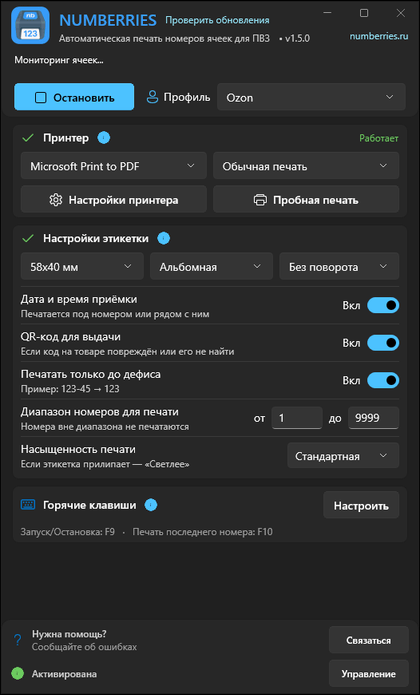
Установите бесплатное расширение Numberries Bridge — после скана в Турбо ПВЗ этикетка печатается сама, с датой и QR-кодом для выдачи.
50–100 мсвремя печати
То же расширение Numberries Bridge. Доступ к сайту ПВЗ разрешается один раз кнопкой «Разрешить».
1–9999номера из цифр
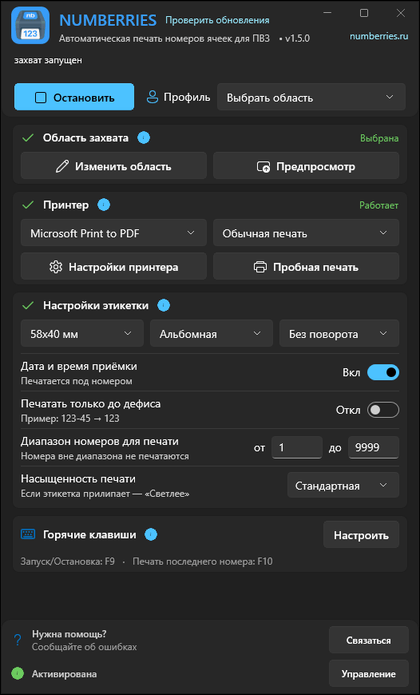
Для других систем ПВЗ, если номер ячейки виден на экране цифрами: выберите область экрана с номером — программа напечатает этикетку.
Установка без специальных знаний и обучения. Работать можно сразу после установки.
Номера ячеек в интернет не уходят — печать идёт на вашем компьютере. Кратковременные перебои с интернетом не остановят печать.
Регулярные обновления добавляют функции и повышают скорость работы.
Решение упрощает повседневные операции и позволяет сосредоточиться на обслуживании клиентов.
30–300 мс
Этикетка готова, пока товар ещё в руках. Номер печатается автоматически, а не пишется от руки.
290 ₽/мес
Вместо фломастеров и маркеров. Окупается уже при 100+ приёмках в день.
| Ручная маркировка | С Numberries | |
|---|---|---|
| Скорость |
30–60 секунд на приёмку товараОчереди на выдаче во время приёмки |
1–3 секунды на приёмку товараПечать 30–300 мс плюс наклейка этикетки на товар |
| Точность |
Человеческий факторПерепутанные номера и нечитаемый почерк среди 1000 ячеек |
Номер без ошибокЧёткие печатные этикетки — номер не нужно переписывать вручную |
| Расходы |
Постоянные закупкиМаркеры и расходные материалы увеличивают затраты |
Предсказуемые расходыПринтер покупается один раз, дальше — подписка и рулоны этикеток |
Мы развиваем продукт, основываясь на реальных потребностях пользователей.
Около 10 минут до первой этикетки, без сложных настроек
Управляйте приложением без отрыва от работы
Всегда актуальная версия без ручной установки
Wildberries, Ozon и Яндекс Маркет из коробки
Любой принтер, который печатает из Windows; совместимость вашей модели проверьте в пробный период
Расширение для Chrome, Edge и Яндекс Браузера
Последняя этикетка печатается снова по клавише F10
Дата и время приёмки, QR-код для выдачи, диапазон номеров, насыщенность печати
Номера ячеек и сведения о товарах на серверы Numberries не уходят
СДЭК, Авито и другие системы ПВЗ — через режим «Своя область», если номер ячейки виден на экране цифрами
Начните с бесплатного 14-дневного периода. Без привязки карты и предоплаты — зарегистрируйтесь, скачайте и пользуйтесь полным функционалом.
Протестируйте все возможности системы бесплатно
Бесплатно 14 дней
Начать бесплатноДля профессиональной работы вашего ПВЗ
290₽
2 900₽
вместо 3 480₽
в месяц
в год · ≈242₽ в месяц, 2 месяца в подарок
Или сразу на 3 месяца — 870 ₽, 6 месяцев — 1 740 ₽ или 9 месяцев — 2 610 ₽. Цена месяца та же — скидка даётся за количество ключей, а не за срок.
Скидка за количество лицензийСкидка за количество лицензий — дополнительно к годовой
до −10% от 3 лицензий
Купить несколько лицензий Купить несколько лицензийОплачивая подписку, вы принимаете Лицензионное соглашение. Условия возврата — Политика возврата.
Подписка продлевается автоматически, только если вы включили автоплатёж в личном кабинете. Отключить можно там же в любой момент до списания. О новой цене мы сообщаем по e-mail до списания по ней.
Мы открыто делимся планами и прогрессом разработки.
Идея автоматизировать печать номеров ячеек в ПВЗ. Исследования и проработка концепции.
Старт проекта, проработка архитектуры и основных алгоритмов.
Тестирование с партнёрами ПВЗ, сбор обратной связи.
Публичное тестирование для всех желающих ПВЗ, активный сбор обратной связи.
Программа доступна для ПВЗ по всей России.
Официальный релиз с полным набором функций для маркетплейсов.
Профили Wildberries, Ozon и Яндекс Маркета и «Своя область» для других систем ПВЗ.
В Ozon на этикетке — запасной QR-код для быстрой выдачи, а при перемещении товара на Ozon Полку печатается этикетка с номером полки.
На этикетке — дата и время приёмки и белая полоса вместо чёрной. На «П-…» новый QR-код. Скачивайте, покупайте лицензию и экономьте время на вашем ПВЗ.
Доступно · Версия 1.5.0 Последнее обновление:
Следующее поколение Numberries. Подробности позже.